
Getting Started with Ocean Art
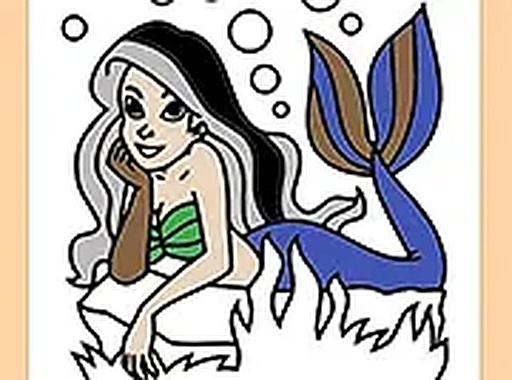
Underwater Art Studio presents a straightforward approach to digital coloring. Upon opening the game, you are greeted with a selection of ocean-themed illustrations. Each picture features different marine elements, from gentle waves to coral formations. The interface is designed to be immediately understandable, so you can begin coloring within seconds. There is no need to create an account or navigate complex menus. Simply choose an image that appeals to you and prepare to add color.
Tools and Color Selection
The game provides a palette of colors displayed along the side of the screen. You can tap or click on any color to select it, then apply it to the desired area of the picture. A brush size adjustment lets you work on fine details or fill larger sections quickly. For corrections, an eraser tool is available, along with undo and redo functions. These features give you full control over your artwork without any pressure. The controls respond equally well on touchscreens and mouse-operated devices.
Creating at Your Own Speed
One of the core aspects of Underwater Art Studio is the absence of time limits or scoring systems. This design choice supports a relaxed atmosphere where you can focus entirely on the creative process. You might spend a few minutes on a small section or take an hour to perfect a single scene. The game encourages experimentation with color combinations and shading. If you make a mistake, the undo button lets you step back without penalty. This freedom makes the experience suitable for both quick breaks and extended sessions.
Sharing and Saving Your Work
When you finish a coloring page, the game allows you to save your completed artwork. This saved image can be kept as a personal memento or shared with family and friends. The save function works directly on your device, so you can build a collection of your favorite pieces. Starting a new page is equally simple, with no loss of progress on previous works. This feature adds a sense of accomplishment and gives you a tangible result from your creative efforts.
Accessibility Across Devices
Underwater Art Studio runs entirely in a web browser, which means no software installation is required. It functions smoothly on desktop computers, tablets, and smartphones. The layout adapts to different screen sizes, ensuring that buttons and palettes remain easy to use. Full-screen mode is available for a more immersive experience. This cross-platform compatibility makes it easy to pick up the game on any device you have at hand, whether at home or on the go.





Comments
0 comments