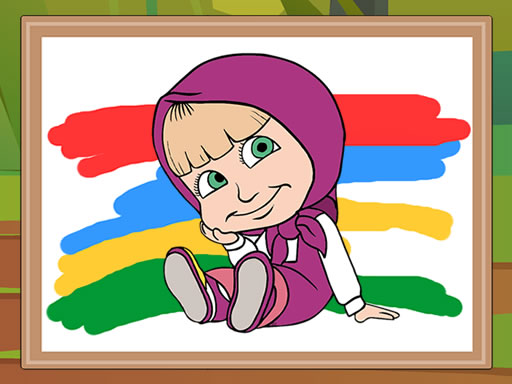
Masha Bear Color Art Studio

Masha Bear Color Art Studio

Developer: Beast Veil Digital
Published:
Updated:
Creative Educational Art Puzzle

💬 Reviews

This coloring game offers a calm and focused experience for young players. The variety of pictures from the Masha and Bear series keeps children engaged, while the adjustable brush sizes allow for both careful detail work and quick filling. The ad-free environment is a major plus for parents. The simple interface means kids can play independently, and the save feature adds a rewarding finish to each session. It is a solid choice for families looking for a constructive, screen-based activity.

🎮 About This Game

Creative Coloring Mechanics

This game invites players to bring black-and-white outline pictures to life using a palette of vibrant colors. Each image features characters and scenes from the popular animated series. Players pick a color from a selection of bright markers, then choose a brush size to match the area they want to fill. Small brush tips work well for edges and tiny details, while larger tips cover bigger spaces quickly. The interface responds to taps or clicks, making it easy for even the youngest players to start painting right away.

Picture Collection and Variety

The game offers a range of outline pictures that showcase different moments from the show. Players can select any image from the main menu, each presenting a new scene to color. This variety keeps the experience fresh and encourages repeated play. Whether it's a portrait of a character or a group scene, each picture provides a different challenge for color placement and creativity.

Tools and Customization

Players have access to multiple felt-tip pen colors and adjustable brush widths. Switching between colors is straightforward, allowing for layered and detailed artwork. The ability to change brush size means users can work on fine details like eyes or small objects, then switch to a larger size for backgrounds or large shapes. This flexibility supports both careful coloring and quick, broad strokes.

Family-Friendly Design

The game is built with young children in mind. There are no advertisements or external links, so kids can play without distractions. The controls are intuitive and require no reading skills, making it accessible to preschoolers. Parents can feel confident letting their children explore this creative activity independently.

Preserving and Sharing Artwork

Once a picture is fully colored, players can save their finished work. This feature allows children to keep a record of their creations, share them with family, or print them out. The save function is simple to use, encouraging a sense of accomplishment and pride in the final result.


Compatibility

This H5 game runs smoothly on:
• Desktop computers (Windows / Mac) • Mobile phones (iPhone / Android)
• Tablets (iPad / Android)
🌐 Best experienced with Chrome, Safari, or Edge

Faq

Is Masha Bear Color Art Studio free to play?
Yes, the game is free to play online. There are no hidden costs or in-app purchases required to access any of the pictures or coloring tools. Players can enjoy the full experience without spending money.
Do I need to download anything to play this game?
No download is necessary. The game runs directly in a web browser, so players can start coloring immediately after loading the page. This makes it easy to play on different devices without installing software.
Can I play this game on a tablet or smartphone?
Yes, the game is designed to work on touchscreen devices. The controls respond to taps, making it suitable for tablets and smartphones as well as computers. This allows children to color on the go.
Are there any new pictures added over time?
The game includes a fixed set of outline pictures at launch. While updates may add more scenes in the future, the current collection provides plenty of variety for repeated play. Each picture offers a different creative challenge.
What age group is this game best for?
The game is ideal for children aged 3 to 8 years old. The simple controls and large buttons make it easy for toddlers to use, while older kids can enjoy the creative freedom of choosing colors and details. It is also a calming activity for any age.
Can I undo a color if I make a mistake?
The game does not have an undo button, but players can easily start over by selecting a new picture. This encourages children to try again without frustration. The process of recoloring also helps develop patience and attention to detail.

Comments

0 comments
U
User
★ ★ ★ ★ ★
Loading comments...

🕹️ Similar Products