Personalized Pagecraft Studio

Personalized Pagecraft Studio

Developer: Glass Shift Works
Published:
Updated:
Imaginative Design Children

๐Ÿ’ฌ Reviews

Personalized Pagecraft Studio stands out for its deliberate simplicity and child-first design. The absence of timers or scores creates a genuinely relaxing environment where young artists can focus on the joy of arranging colors and patterns. The drag-and-drop controls are responsive and forgiving, with an undo button that encourages experimentation. While the asset library could benefit from more frequent updates, the existing variety is enough to keep most children engaged for many sessions. It is a thoughtful, safe, and genuinely useful creative tool that parents can trust.

๐ŸŽฎ About This Game

Creative Canvas for Young Minds

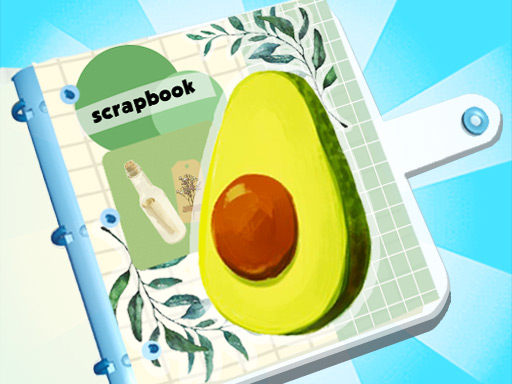
Personalized Pagecraft Studio provides a safe, ad-free space where children can express themselves through digital journal design. The core activity involves selecting from a library of cheerful backgrounds, themed stickers, and decorative ribbons to assemble pages that reflect personal taste. Because there are no right or wrong choices, every creation becomes a unique reflection of its maker. This open-ended approach encourages experimentation without fear of failure, making it particularly suitable for younger users who are still developing fine motor skills and color awareness.

Drag-and-Drop Simplicity

Interaction relies on intuitive drag-and-drop mechanics that work equally well with a mouse or touchscreen. Players pick up elements from a sidebar and place them onto the journal page. Each item can be rotated, resized, or removed with a simple tap or click. The interface uses large, clearly labeled buttons and provides an undo function, so mistakes are quickly corrected. This low-friction system means even preschoolers can participate independently, building confidence as they see their ideas take shape on screen.

Endless Personalization Options

The game offers a rotating collection of decorative assets, including patterned papers, themed sticker sets, and ribbon styles. Users can also add short text labels to their pages, choosing from a handful of fonts and colors. While the exact number of items may vary, the emphasis is on variety and regular updates to keep the experience fresh. This breadth of choice ensures that no two journals need look alike, and returning players always find something new to try.

Save, Share, or Start Over

Completed journals can be saved locally to the device, allowing children to revisit their favorite designs or show them to family members. There is no online sharing or social feature, preserving a completely private experience. If inspiration strikes in a different direction, a simple reset clears the page for a fresh start. This save-and-restart cycle reinforces the idea that creativity is a process, and every attempt is valuable.

Calm, Pressure-Free Atmosphere

Unlike many games aimed at children, Personalized Pagecraft Studio deliberately avoids timers, scores, or competitive elements. The only goal is to enjoy the act of making something beautiful. Soft pastel colors and gentle sound effects contribute to a relaxing mood, making this an excellent choice for quiet time or as a wind-down activity. Parents can feel confident that their child is engaged in constructive, screen-based play that prioritizes imagination over speed or performance.


Compatibility

๐Ÿ’ป Desktop | ๐Ÿ“ฑ Mobile | ๐Ÿ“Ÿ Tablet
โ€“ All supported ยท Best with Chrome or Safari

Faq

Is Personalized Pagecraft Studio free to play?
Yes, the game is completely free to access through any modern web browser. There are no in-app purchases, subscription fees, or hidden costs. All decorative items and features are available from the start, ensuring every child has the same creative opportunities.
Does the game require an internet connection after loading?
An internet connection is needed to initially load the game and its assets. Once the page is fully loaded, most functions work offline, though saving designs may require a brief online check. For best results, we recommend staying connected during play.
Can my child share their journal designs with friends?
No, the game does not include any sharing, social media, or online community features. Designs are saved only to the device's local storage. This ensures a completely private and safe environment where children can create without external feedback or interaction.
What age group is this game designed for?
The game is primarily designed for children aged 4 to 10 years old. The simple drag-and-drop controls and large buttons make it accessible to preschoolers, while the variety of customization options keeps older children engaged. Teenagers and adults may also enjoy it as a relaxing creative outlet.
Does the game include any advertisements or external links?
Personalized Pagecraft Studio is completely ad-free and contains no external links to other websites or apps. This makes it a safe choice for unsupervised play. Parents can be confident that their child will not encounter any inappropriate content or be prompted to make purchases.
How often are new stickers and backgrounds added?
The game's asset library is updated periodically with new themed sticker sets, background patterns, and ribbon styles. While there is no fixed schedule, updates typically arrive every few months. These additions keep the experience fresh for returning players without overwhelming them with too many choices at once.

Comments

0 comments
U
User
★ ★ ★ ★ ★
Loading comments...

๐Ÿ•น๏ธ Similar Products

Sweet Leap Runner

Colorful Children Arcade

PLAY NOW

Shape Painting Color Quest

Children Learning Logic

PLAY NOW

Sora's Hearing Helper

Children Young Learners Educational

PLAY NOW

Sweet Treats Color Studio

Art Creativity Relaxation

PLAY NOW

Festive Style Studio

Fashion Style Creative

PLAY NOW

Holiday Creature Design Studio

Creative Imaginative Casual

PLAY NOW

Underwater Art Studio

Children Learning Imagination

PLAY NOW